
Introduction: Why Page Speed Is No Longer Optional
In the modern digital landscape, speed has become a fundamental requirement rather than a competitive advantage. Users abandon websites that take more than a few seconds to load, and search engines like Google actively reward fast websites with better rankings. Whether you’re running a blog, portfolio, or business website, page speed directly impacts user experience, SEO, conversion rates, and even brand credibility.
For WordPress users, the good news is this: you don’t need to be a developer to improve site speed. With the right performance plugins, you can dramatically reduce load time, optimize resources, and deliver a smooth browsing experience. In this blog, we’ll break down some of the most effective and trusted WordPress plugins—WP Rocket, LiteSpeed Cache, NitroPack, Perfmatters, and Smush—and explain how they help turn slow websites into high-performing ones.
1. WP Rocket – The All-in-One Speed Booster
WP Rocket is one of the most popular premium caching plugins for WordPress, and for good reason. It’s beginner-friendly, powerful, and starts working immediately after activation.
Key benefits:
- Page and browser caching
- File minification (HTML, CSS, JavaScript)
- Lazy loading for images and videos
- Database optimization
- Integration with CDNs like Cloudflare
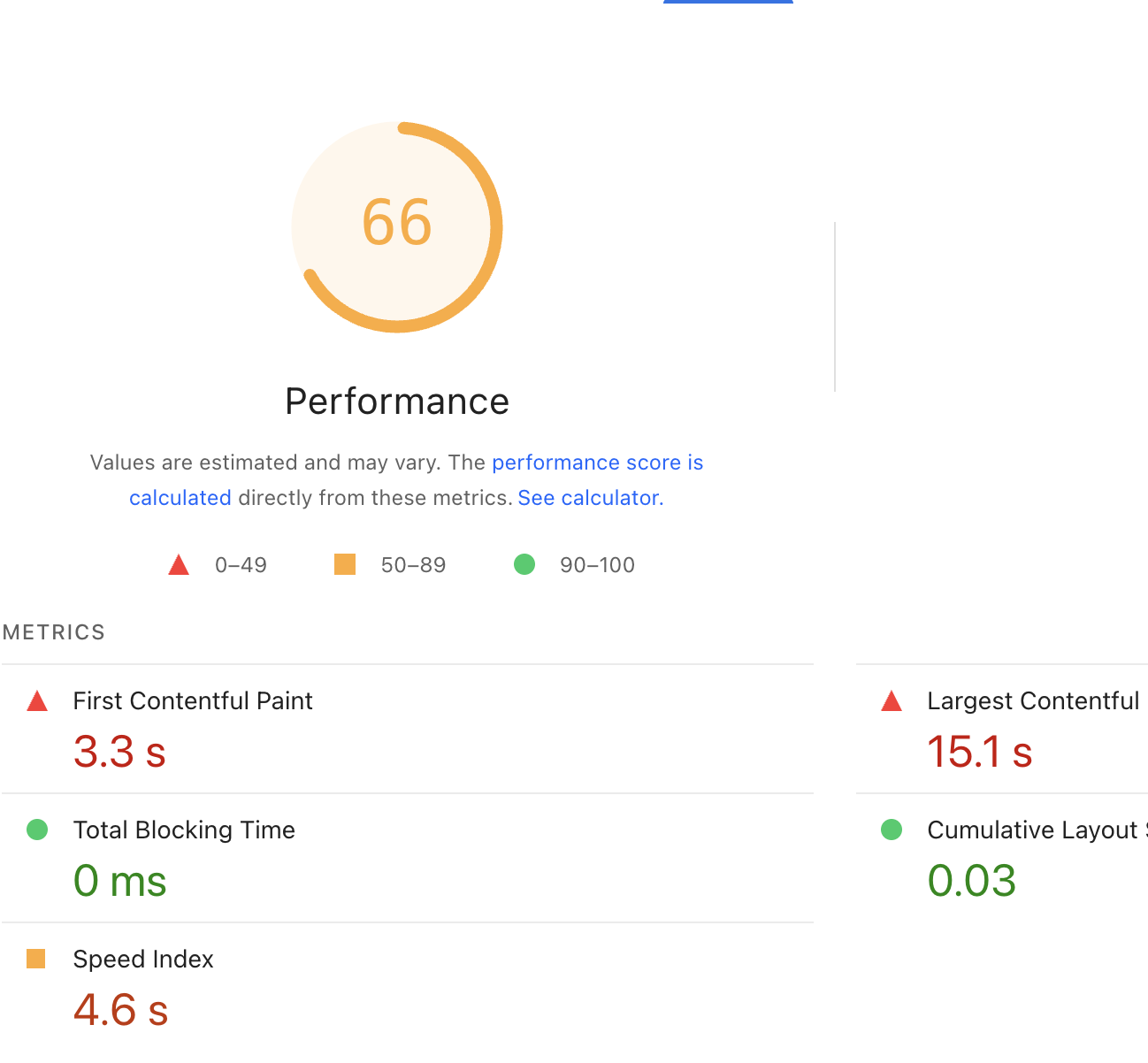
What makes WP Rocket unique is its simplicity. You don’t need complex configurations—most websites see instant speed improvements right after installation. It’s ideal for bloggers, marketers, and small businesses that want fast results without technical headaches.
2. LiteSpeed Cache – Best for LiteSpeed Servers
LiteSpeed Cache is a free and extremely powerful plugin—but it works best if your hosting provider uses a LiteSpeed server. Unlike traditional caching plugins, it uses server-level caching, which is faster and more efficient.
Key benefits:
- Server-level full-page caching
- Image optimization and lazy loading
- CSS/JS minification and combination
- Built-in CDN support
- Database optimization
For websites hosted on LiteSpeed (common in many modern hosting plans), this plugin can outperform most alternatives. It’s slightly more technical than WP Rocket, but the performance gains are impressive when configured correctly.
3. NitroPack – Performance on Autopilot
NitroPack is a cloud-based performance optimization plugin designed for users who want speed without manual setup. It handles everything externally, making it one of the easiest solutions available.
Key benefits:
- Automatic caching and optimization
- Advanced image compression
- Global CDN included
- Code optimization and lazy loading
- Core Web Vitals improvement focus
NitroPack is especially useful for non-technical users and eCommerce websites. Since most optimization happens on NitroPack’s servers, it reduces the load on your hosting. However, it works on a subscription model, which may not suit every budget.
4. Perfmatters – Speed by Removing What You Don’t Need
Unlike caching plugins, Perfmatters focuses on reducing unnecessary load. Many WordPress websites are slow because of unused scripts, emojis, and plugins loading on every page.
Key benefits:
- Disable unused WordPress features
- Script manager to load assets selectively
- Database cleanup
- DNS prefetching and preloading
Perfmatters works best when combined with a caching plugin like WP Rocket or LiteSpeed Cache. It’s a favorite among performance-focused marketers and developers who want full control over what loads on their website.
5. Smush – Image Optimization Made Simple
Images are often the biggest reason for slow page speed. Smush focuses entirely on optimizing images without affecting quality.
Key benefits:
- Automatic image compression
- Bulk image optimization
- Lazy loading
- Resize and scale images correctly
Smush is perfect for content-heavy blogs, portfolios, and eCommerce sites. While it doesn’t handle caching, it complements speed plugins by ensuring images don’t slow your site down.
How to Choose the Right Plugin Combination
There’s no “one-size-fits-all” solution. Here’s a simple guide:
- Beginner-friendly & fast results: WP Rocket + Smush
- LiteSpeed hosting users: LiteSpeed Cache + Smush
- Hands-off optimization: NitroPack alone
- Advanced optimization: WP Rocket + Perfmatters + Smush
The key is not to overload your site with multiple caching plugins. Choose one main performance plugin and support it with focused tools like image or script optimization.
Conclusion: Speed Is a Growth Strategy
Improving page speed is not just a technical task—it’s a marketing strategy. Faster websites rank better, convert more, and build trust instantly. With plugins like WP Rocket, LiteSpeed Cache, NitroPack, Perfmatters, and Smush, WordPress users have powerful tools to compete in a speed-driven digital landscape.
Start small, test performance using tools like Google PageSpeed Insights or GTmetrix, and optimize step by step. Because in the race for attention online, the fastest website almost always wins.